

 Hi again!
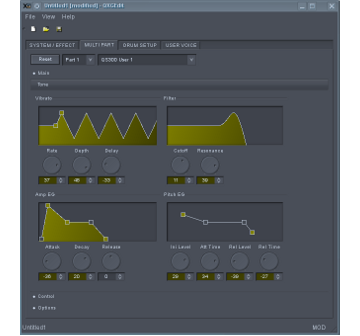
QXGEdit is a live XG instrument editor, specialized on editing MIDI System Exclusive files (.syx) for the Yamaha DB50XG and thus probably a baseline for many other XG devices.
Change-log:
- Get rid of CONFIG_WAYLAND build config option; add underlying platform name (eg. xcb, wayland) to Qt version string.
- Bumping into next development cycle (Qt >= 6.11)
Website:
http://qxgedit.sourceforge.net
Project page:
Downloads:
- source tarball:
qxgedit-1.0.2.tar.gz - source package:
qxgedit-1.0.2-3.1.rncbc.suse.src.rpm - binary packages:
qxgedit-1.0.2-3.1.rncbc.suse.x86_64.rpm - AppImage package:
qxgedit-1.0.2-3.1.x86_64.AppImage - OBS packages (repos):

Git repos:
https://github.com/rncbc/qxgedit.git
https://gitlab.com/rncbc/qxgedit.git
https://codeberg.org/rncbc/qxgedit.git
License:
Enjoy!


QXGEdit question
Hi Rui,
I have a DB50XG-board build in a small box and use it as a small midi-unit. For control QXGEdit is used and the input is coming from a M-audio Oxygen88 keyboard. So far so good, with QXGEdit i can select voices and on the M-audio i can play them and if i move the right volume slider of the M-audio the volume of the DB50XG output signal changes. There is also one regulator that influences the pan of the output sound, but i don't see the regulators in QXGEdit window move. Is it supposed to do that or is QXGEdit only to make the settings? Do i have to change the output signal of the M-audio device, add system exclusive messages to get the feedback in the QXGEdit window?
Kind regards,
Jan
re. QXGEdit question...
QXGEdit it not supposed to do recognize nor transmit any MIDI channel messages; it only deals XG SysEx, both ways.
hth.
cheers
Add new comment